AI room design by budget
Give the AI room design a budget before it gives you a fantasy.
Use your intended spend as part of the visual brief, then turn the result into measured priorities rather than a shopping promise.
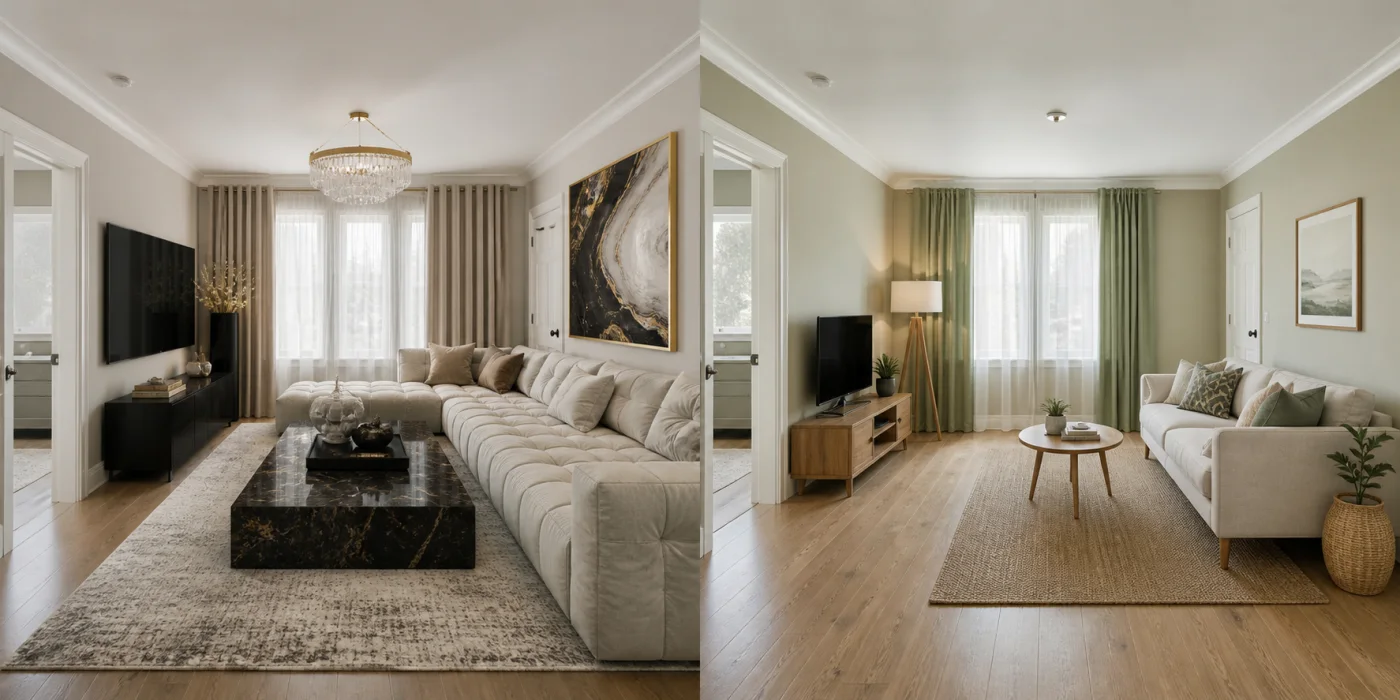
Budget should change the type of answer
A lower budget should emphasize paint, textiles, lighting and a few high-impact pieces. A larger budget may support replacing major furniture or finishes. Including the amount helps steer the concept’s ambition, even though it is not a cost estimate.
- Set the amount you would genuinely spend
- Prioritize the largest visual problems
- Keep a reserve for delivery and installation
The image cannot price the project
Local labour, taxes, stock and product quality are not reliably encoded in a generated image. Build a separate itemized budget and confirm live prices after the direction feels right.
- Separate essentials from optional layers
- Verify retailer prices and returns
- Do not treat pictured finishes as specifications
From photograph to room design
- Upload a clear photo of the room.
- Choose the room type, style and budget.
- Download the completed design from your account.
AI room design by budget FAQ
Does Interizo guarantee the room will cost my budget?
No. Budget guides the visual brief; it is not a quote or cost plan.
What budget should I enter?
Use the amount you could realistically allocate to that room, excluding money already committed elsewhere.
Can I compare two budgets?
Yes. Generate the same photo again with another budget and compare the resulting direction.