AI nursery designer
A nursery concept first. A safety check always.
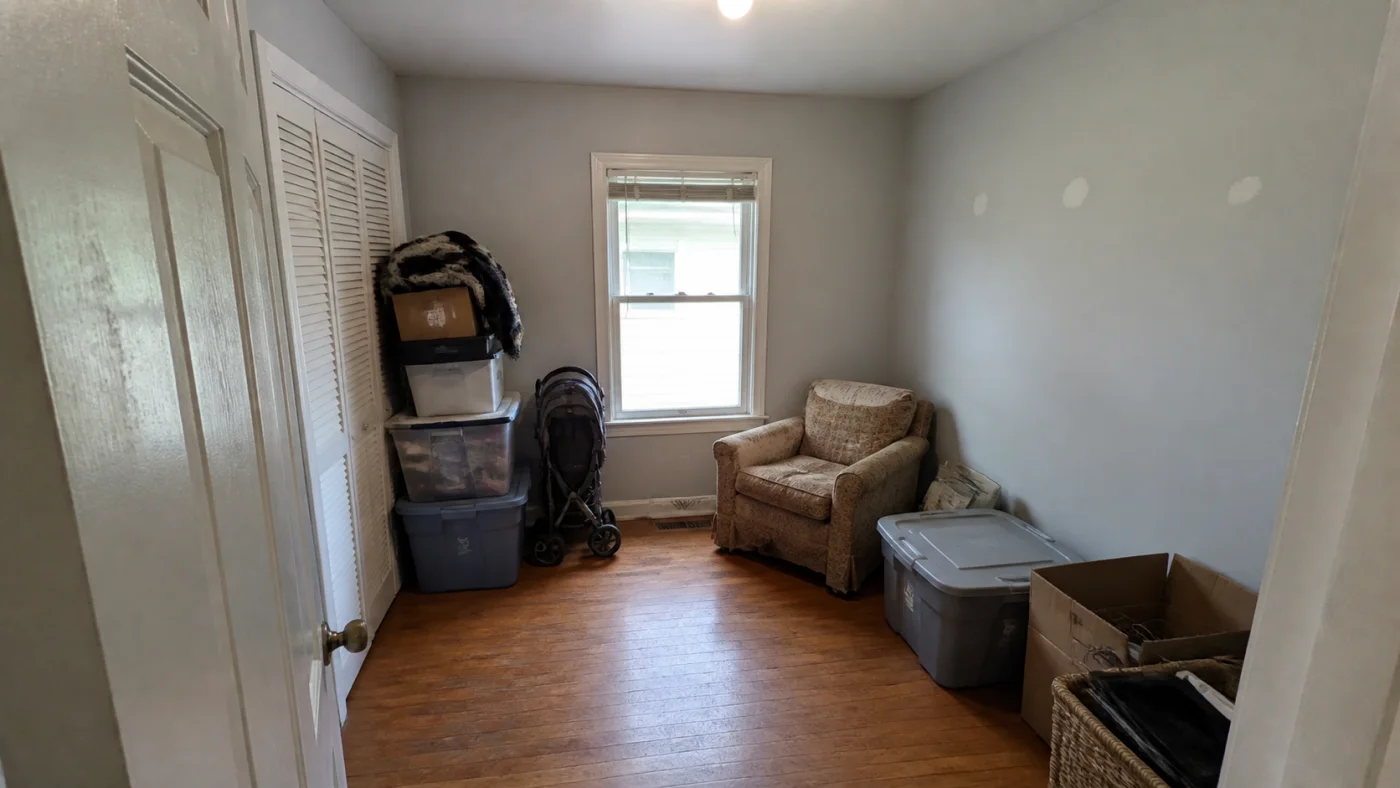
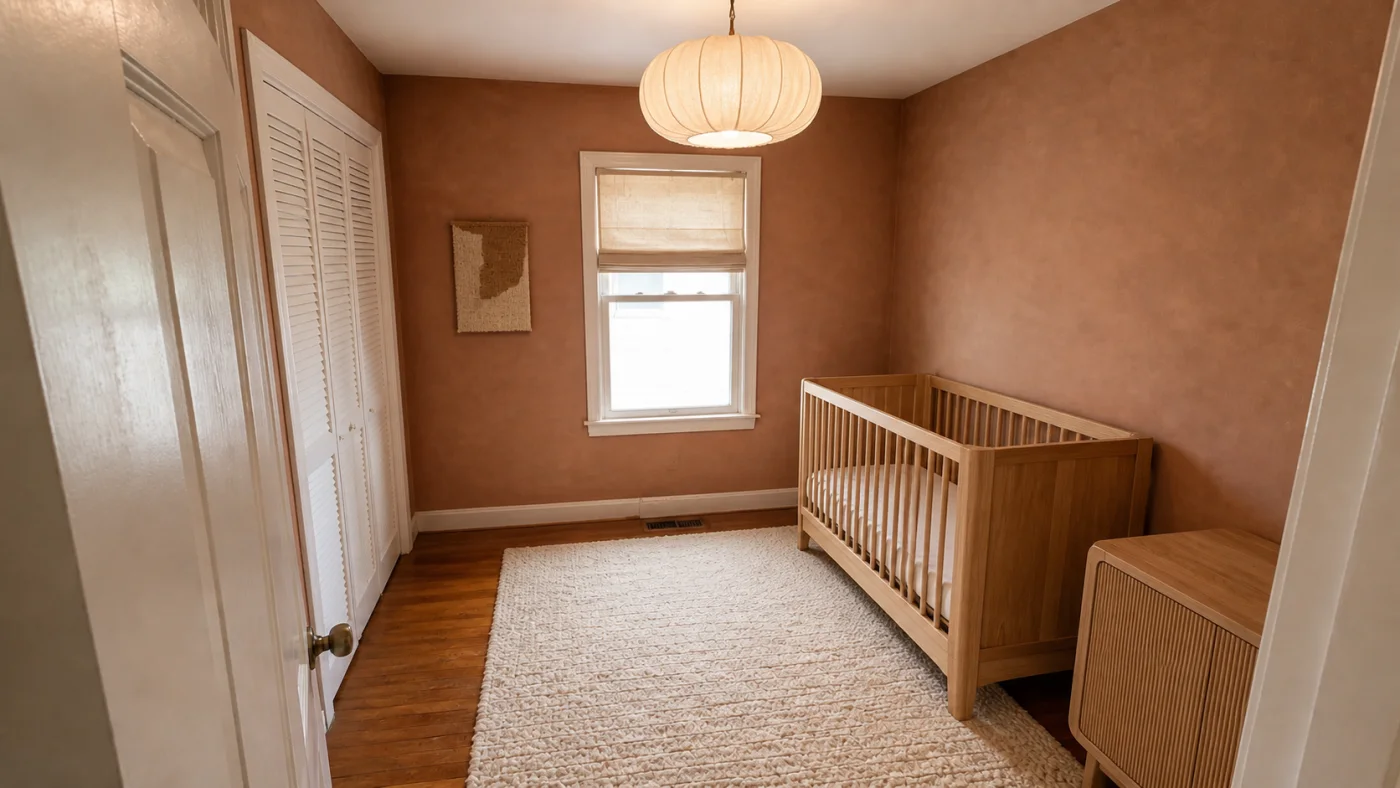
Turn an empty or spare room photo into a calm nursery direction, then verify every product and placement against current safety guidance.
Separate visual planning from safety decisions
Interizo can coordinate colour, storage, curtains and general furniture scale. It cannot assess crib standards, blind cords, anchoring, sleep safety, electrical hazards or product recalls.
Treat the image as a mood and planning reference only.
- Check current official safe-sleep guidance
- Anchor furniture where required
- Keep cords, heaters and windows away from the crib
Design for the person using the room
Night-time care needs soft controllable light, reachable essentials and clear movement. Photograph the full room, including radiators, sockets, wardrobes and the door, so those constraints remain visible.
- Plan closed and open storage
- Protect a clear route through the room
- Choose washable, verified materials
From photograph to room design
- Upload a clear photo of the room.
- Choose a design style.
- Download the completed design from your account.
AI nursery designer FAQ
Is an AI nursery design safety advice?
No. It is visual inspiration only. Follow current official guidance and product instructions for every safety decision.
Can I start with an empty room?
Yes. A bright, wide photo of the empty room gives the system clear architectural boundaries.
Will pictured nursery products be real?
Not necessarily. Generated objects may not correspond to purchasable or compliant products.