AI room design that keeps the layout
Change the room’s character without pretending the layout disappeared.
Use your photograph as the constraint and focus the concept on finishes, furniture language, textiles and light.
What Interizo tries to preserve
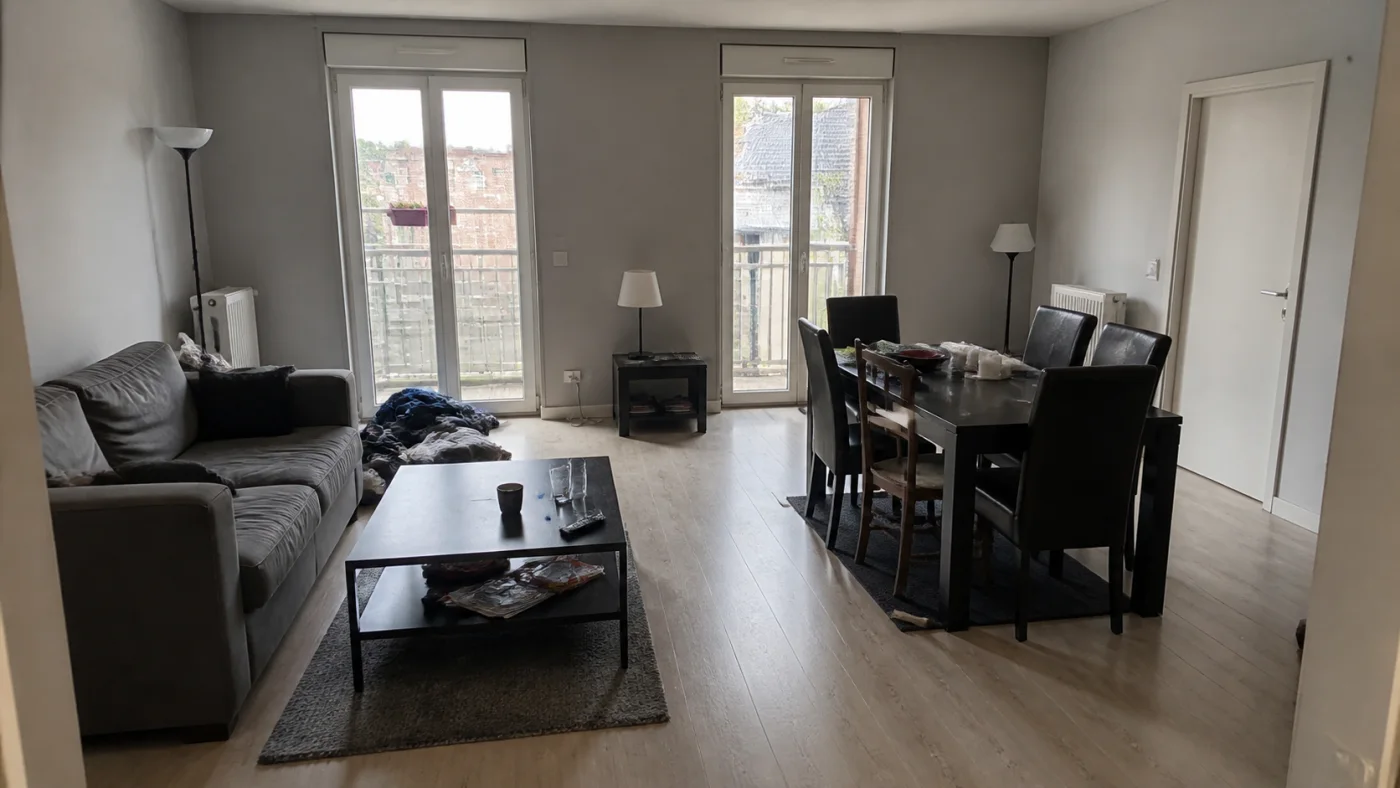
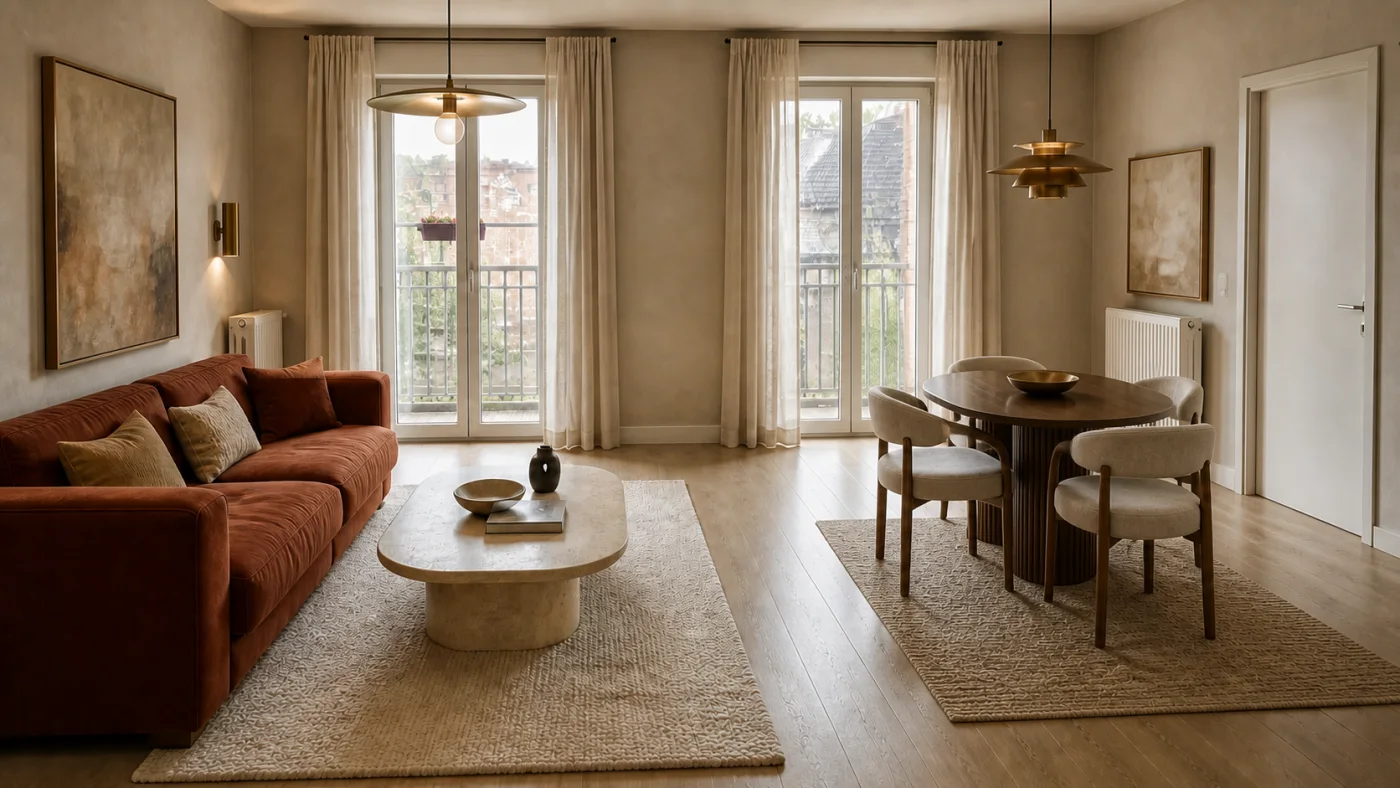
The generation is directed to retain the source viewpoint, walls, windows, doors and other fixed features. That makes comparison easier than a text-only image that invents a new room.
- Recognizable camera perspective
- Visible fixed architecture retained
- Furniture, finish, colour and lighting redesigned
Preservation is a goal, not a survey
Generative images can still shift an edge, alter an opening or misjudge scale. Keep the source photo beside the result and reject any proposal that conflicts with the real room.
- Verify door swings and walking routes
- Measure all products
- Use professionals for structural or technical changes
Check the concept before making a decision
Use the free room-design checklist to record which features survived the redesign, flag layout mistakes and download a review. It works with a concept from any AI tool and needs no account or credits.
From photograph to room design
- Upload a clear photo of the room.
- Choose a design style.
- Download the completed design from your account.
AI room design that keeps the layout FAQ
Will AI keep my exact room layout?
Interizo is instructed to preserve the room and viewpoint, but no generative result is perfectly reliable.
Can it keep all my current furniture?
The current studio has no control for locking individual items. Movable furniture can change; exact preservation is not guaranteed.
Why use a photo instead of a text prompt?
The photo supplies real architectural and perspective constraints that text alone cannot.