AI home office designer
AI home office design from your room photo.
Turn a home-office photo into a new visual direction. Start by checking desk placement, daylight, storage and the route through the room, then use Interizo to explore a style before buying furniture.
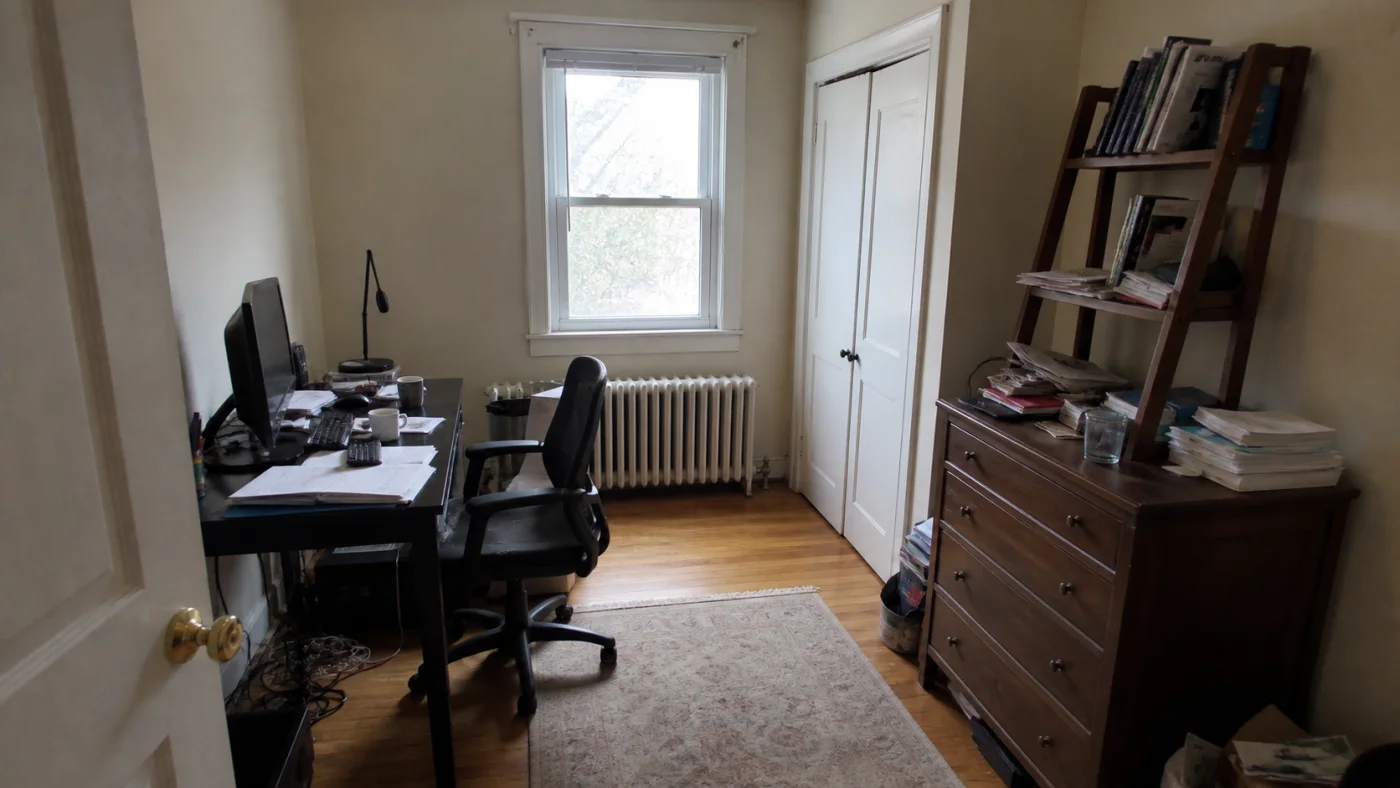
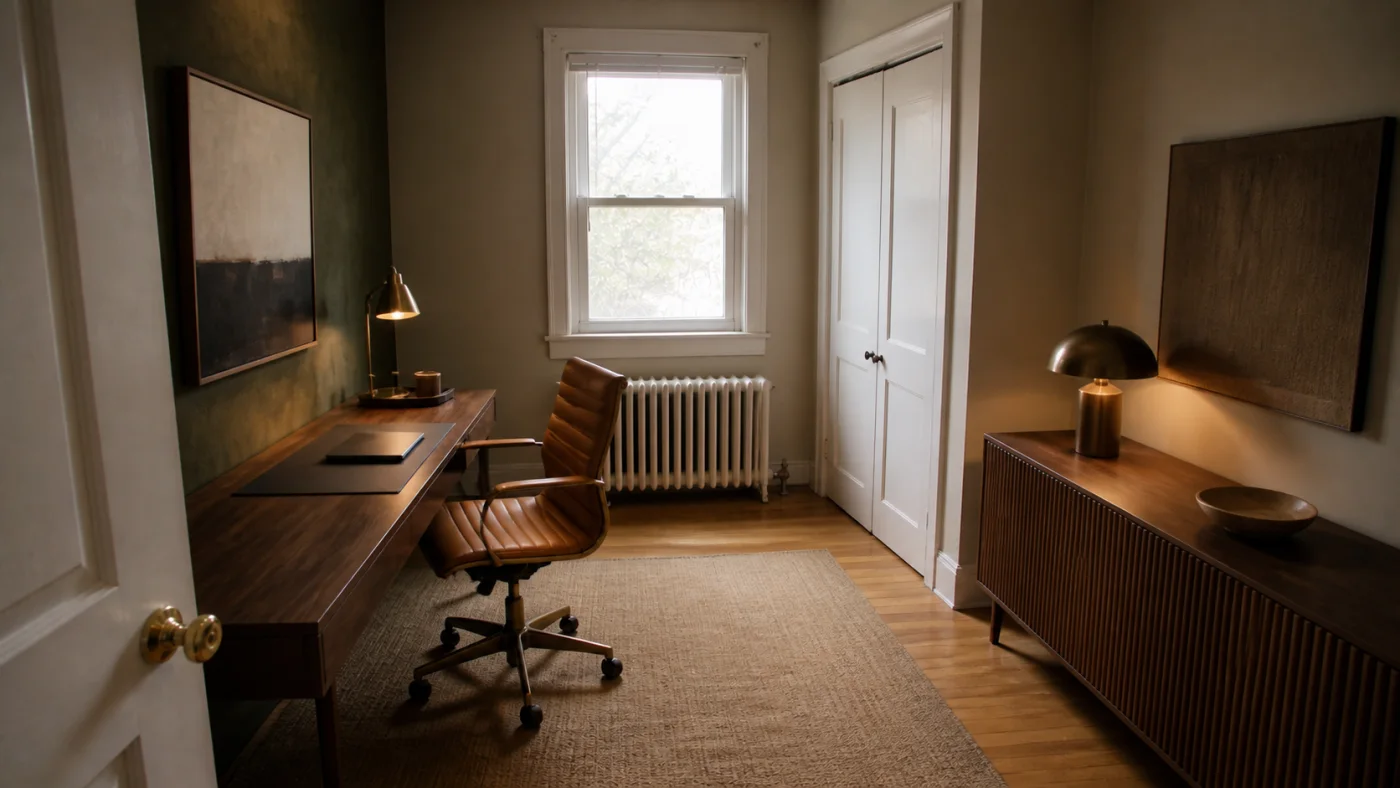
Start with the job your office needs to do
A laptop corner, a workstation with two screens and a shared guest room need different furniture. Write down what must fit before choosing a style: your screen setup, a place for paperwork, equipment you use every day and anything that has to stay. Use this as a checklist when you review the generated image.
Interizo creates a visual redesign from a room photo and a selected style. It does not produce a measured floor plan or verify that a particular desk fits. The image helps you compare the look of an arrangement; your measurements decide whether you can build it.
- List the equipment that needs a permanent place
- Record the furniture you intend to keep
- Decide whether the room must also serve as a bedroom or living area
Compare three desk positions before you buy
Against a wall: a useful starting point for a compact room because the work area has a clear boundary. Check where the chair goes when you stand up and whether cables can reach the sockets without crossing a walkway.
Near a window: compare the direction of daylight with the position of the screen. A window directly behind the screen or reflected in it may make working uncomfortable. Check the real room at the time you usually work; an AI image cannot predict glare.
Facing into the room: useful when you want to look away from a wall or place storage behind you. It uses more floor space and exposes the back of the desk and its cables, so include those details in your plan.
- Measure the desk footprint on the floor
- Check the chair both tucked in and pulled out
- Open nearby doors, drawers and cupboards fully
Home office ideas for small and shared rooms
For a bedroom office, choose a work area that does not cut across the route to the bed or wardrobe. Closed storage can hide equipment at the end of the day. A compact-looking desk in a generated image may still be too shallow for your keyboard and screen, so compare its suggested proportions with your actual equipment.
For a living-room corner, repeat a material or colour already in the room so the workspace feels connected. Start with one storage unit and a task light instead of filling every wall. If you need a guest bed, test its full open position before adding a permanent desk.
- Bedroom: protect access to the bed and wardrobe
- Living room: plan cable storage and a place to put work away
- Guest room: check the sleeping arrangement at its full size
Create and compare an AI home-office concept
Photograph the actual work area in daylight, keeping the camera level. Include the floor, windows, doors and fixed storage so you have visible reference points when reviewing the result. Remove people and sensitive documents from the frame.
Upload the image in the Interizo studio, choose a style and create a design. Compare the result with the original: are the windows and doorway still recognizable, is the chair usable, and is there somewhere for the equipment on your checklist? A style change can alter furniture, so do not assume an existing desk will be reproduced exactly.
For a useful second version, reuse the same source photograph and change the style. Scandinavian can be a starting point for lighter finishes; Modern for a simpler coordinated direction. Judge the actual outputs rather than assuming that a style label guarantees a particular layout.
- Use the same photograph to compare styles
- Check the room boundaries before judging decoration
- Download the image as a visual reference
Check the details the image cannot prove
Before shopping, record the available width and depth, door swings, socket positions and the space occupied by your chair in use. Compare those measurements with the retailer specifications for the exact product and finish you are considering.
Check lighting, chair adjustment and screen position in the real workspace. A polished picture does not establish a comfortable workstation. Treat invented furniture, missing cables and unusually narrow gaps as questions to resolve, not evidence that the arrangement works.
- Desk: equipment space, depth and access to power
- Chair: movement, adjustment and clear access
- Storage: doors and drawers can open
- Lighting: screen reflections and a usable task light
What does an AI home-office design cost?
One Interizo redesign uses one credit. Packs start at $4.99 for five designs, with no subscription; tax is calculated at checkout. The optional furniture suggestions use one additional credit and provide related pieces to investigate, not a guarantee that the pictured objects are available to buy.
Check the concept before making a decision
Use the free room-design checklist to record which features survived the redesign, flag layout mistakes and download a review. It works with a concept from any AI tool and needs no account or credits.
From photograph to room design
- Upload a clear photo of the room.
- Choose a design style.
- Download the completed design from your account.
AI home office designer FAQ
Can AI design a home office from a photo?
Yes. Interizo uses a photo of your space and your selected style to generate a visual redesign. Check its layout against the actual room before choosing furniture.
Can I use this for a small bedroom office?
Yes, but include the bed, wardrobe and doors in the photo. Review whether the generated work area leaves those parts of the room accessible, then measure the proposed desk and chair space.
Can I keep my current desk?
Interizo may change movable furniture during a redesign. Keeping the desk visible gives you a reference for comparison, but there is no guarantee that the result will preserve that exact desk.
Does Interizo create a measured office floor plan?
No. It creates an image from your room photo. It does not certify dimensions, ergonomics, electrical work or furniture fit.
Is the home-office designer free?
Creating a design requires credits. Packs start at $4.99 for five designs, with no subscription. Tax is calculated at checkout.